
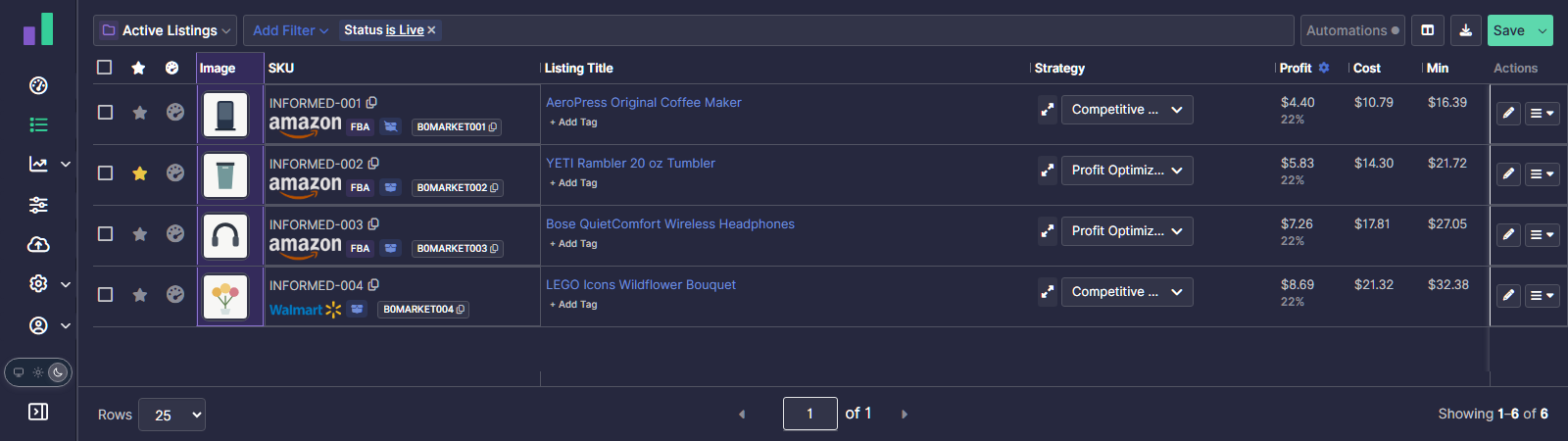
Your Listings page has a new Image column, so you can see your products at a glance as you work through your listings.
Turn on the Image column
On your Listings page, open Customize Columns, turn on Image, and select Apply. If you don't see the option yet, refresh the page.
Your column preferences are saved per browser, so you can choose whether to show images on each computer you use. Custom Views also save their own column sets, letting you show or hide the Image column where it's most useful.
Refresh missing images
If an image is missing, click its placeholder to open Listing Details and refresh it instantly. Missing images also refresh in the background.